
In the realm of web development, selecting the best WordPress plugins is crucial for enhancing website functionality and user experience.
Among the myriad of options available, I consistently install a select few that stand out for their reliability and comprehensive features.
These best WordPress plugins not only streamline operations but also optimize performance, ensuring that each website meets the highest standards of quality and efficiency.
Adopting these tools is a strategic decision that benefits both website administrators and users alike.
Table of Contents
Introduction

Did you know that over 90,000 WordPress sites get hacked every single day… and most of them fail simply because they’re missing the right plugins?
Your WordPress site could be slow, insecure, invisible on Google, or losing leads right now and you wouldn’t even know it.
Hi everyone, I am Nandakishore and in this blog, I’m going to talk about the 7 WordPress plugins you absolutely need to install on your WordPress Site.
Covering Site Security, Performance, SEO, Website Builder and even AI.
These aren’t random picks. These are the exact plugins used by top bloggers, agencies, and online businesses today.
So, let’s start off with the list of seven plugins.
Read till the end because I’ll give you two bonus plugins that I install sometimes depending on the project.
Wordfence Security

Let me ask you something, how many times a day do you think hackers try to break into an average WordPress site?
The answer is going to shock you. It’s not tens. It’s not hundreds. Studies show WordPress sites get attacked thousands of times per day on average.
Bots scanning for weak passwords, outdated plugins, known vulnerabilities, it never stops.
That’s exactly why Wordfence is the very first plugin I install on every single WordPress site.
Wordfence is basically a full security suite living inside your WordPress dashboard.
It has a firewall that blocks malicious traffic before it even touches your site, a malware scanner that checks your files against known threats, and login security that stops brute force attacks.
The free version itself is incredibly powerful.
And if you upgrade to premium, you get real-time threat intelligence, meaning the moment a new attack pattern is discovered anywhere in the world, your site is already protected against it.
Elementor Page Builder
Here’s a question I get all the time. “Do I need to know how to code to build a great-looking WordPress site?”
And the answer is a hard no. Absolutely not. And the reason is Elementor.
Elementor is a drag-and-drop page builder that lets you visually design every part of your website, no code, no frustration.
You see your changes in real time as you make them. Drag a button here, resize an image there, change colors with a click. It’s genuinely that simple.
I use it on almost every site I build and honestly it’s very comfortable and I would say it’s the king of Page Builder.
While the free version is robust enough for many users, they also have Elementor Pro, a premium tier for those seeking more sophisticated widgets.
With Elementor Pro advanced you get access to a theme builder, eCommerce features, Popup builder, and over 85 professionally designed widgets.
Some of the most beautiful websites you’ve ever landed on were built with Elementor, and the person who built them might have zero design background.
RankMath SEO
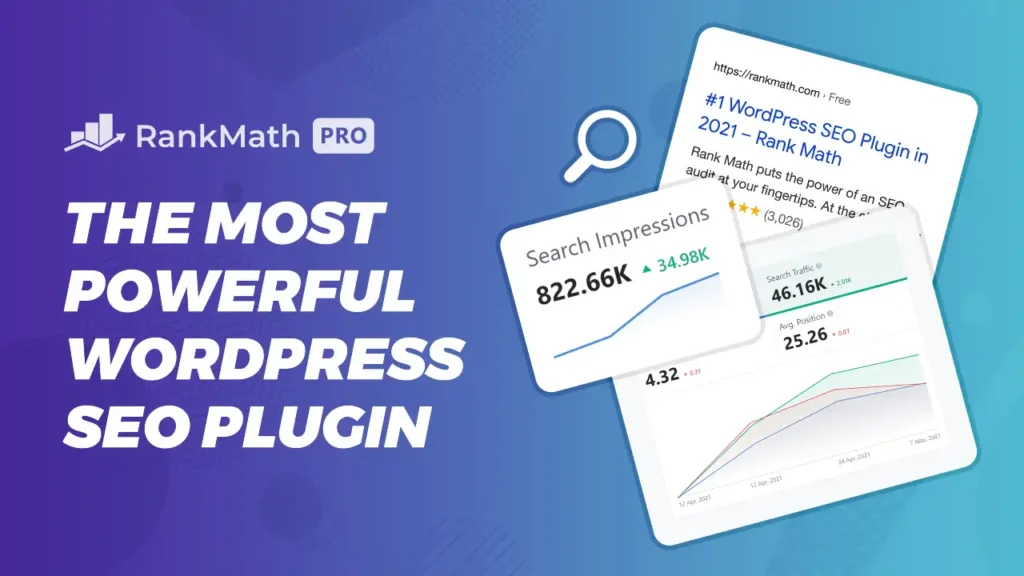
Rank Math is the SEO plugin I recommend in 2026, and I use it on almost every site I use.
What does it actually do?
RankMath SEO analyzes every page and post you write and tells you exactly what to fix to rank higher on Google.
It completely automates your SEO process right inside your WordPress dashboard.
Beyond automatically handling XML sitemaps, integrating with Google Search Console, and setting up critical Schema Markup for rich snippets, Rank Math’s latest features focus on AI-driven content optimization.
The powerful Content AI feature gives you personalized suggestions for keywords, content length, and headings based on real-time search data.
It even allows you to optimize for multiple focus keywords at once.
For content creation, you get access to 40+ AI tools and RankBot, a 24/7 AI assistant to generate ideas, outlines, and compelling titles.
Additionally, Rank Math includes advanced tools like the 404 Monitor and Redirection Manager to maintain a healthy link structure and Instant Indexing to get your new pages discovered by search engines faster.
I mean, it truly is like having a complete SEO consultant sitting next to you while you write.
LiteSpeed Cache
When it comes to boosting performance, LiteSpeed Cache stands out as a top-tier choice, particularly for sites hosted on LiteSpeed servers.
This plugin accelerates your website by implementing effective page caching, asset optimization, and faster delivery to your audience.
Beyond simple caching, it streamlines your setup by including built-in tools for image optimization and database maintenance, eliminating the need for extra plugins. While it is optimized for LiteSpeed environments, you can achieve significant speed gains with minimal configuration.
UpdraftPlus
Backups are something you hope to never rely on, yet they are critical when things go wrong.
UpdraftPlus simplifies the process of backing up your WordPress site, ensuring you can quickly restore everything if your site breaks.
To keep your data safe and secure, you can automate your backup schedule and send copies directly to cloud services like Dropbox or Google Drive.
While the free version provides solid essential coverage, there are premium options for users requiring more sophisticated restoration and backup capabilities.
Jotform AI Chatbot
Moving on, we have the Jotform AI chatbot builder. This plugin allows you to integrate an AI-driven assistant into your site that handles routine inquiries, assists users, and gathers data without manual intervention.
The process is quite simple: select “Create Chatbot,” define the kind of agent you need, and it will automatically train itself using your existing web content.
You can further refine the experience by adjusting the bot’s appearance, visibility, and avatar, or by uploading additional resources like FAQ files to its knowledge base.
Once you hit publish, the chatbot goes live typically appearing in the right bottom corner of your page. It draws from your site’s data and any provided documentation to give visitors accurate answers.
For e-commerce users, its compatibility with WooCommerce is a major plus, helping to resolve product-related questions and streamline the customer buying journey.
The free plan supports up to 100 monthly conversations, with premium options available for those requiring higher volume.
Admin and Site Enhancements (ASE)
And the 7th plugin in our list we have Admin and Site Enhancements, honestly I cannot live without it anymore because this plug-in combines many plugins that I used before.
Upon installation, a new “Enhancements” menu appears, offering a streamlined interface where I typically activate several key features.
One standout is content duplication. Previously, I had to rely on separate plugins just to duplicate pages or posts, but this functionality is now conveniently integrated.
Another essential tool is media replacement, which lets you swap images directly within your media library.
This automatically updates the image across your entire site, saving you from having to manually replace it in every instance within your page builder.
You have to click on edit more details. Then scroll down and then you have the option over here to replace the media.
The plugin also provides customization for the WordPress interface itself.
You can declutter the admin bar for a cleaner look and disable unnecessary dashboard widgets to improve your workspace focus.
Bonus Plugin 1
Now, let’s discuss the bonus plugins. Yeah. Which I sometimes install.
The first one is ACF, Advanced Custom Fields, the most popular custom fields plug-in in WordPress, which now finally also offers custom post types.
But if you need pro features from ACF, that’s where ACF Pro becomes a little bit more expensive. Because they don’t have a lifetime deal.
Which means that if you want it for unlimited websites, because this is something you use on a lot of websites, you’re going to pay $249 per year.
But, I have another option that is CrocoBlock’s Jet Engine, which offers a very similar feature to ACF Pro and they offer it for an affordable price.
But they also do have a lifetime deal if you want it. Not only that, you get a lot more products from Crocoblock as well.
Bonus Plugin 2
And then the Bonus Number 2 is a customizer plug-in for your WordPress.
If you want to enhance your website by creating a custom wordpress dashboard like a little logo in the top over here or disable the wordpress links, then I recommend White Label CMS.
It gives you great options to create a custom dashboard or custom client login page you can go with this plugin. I have a dedicated video on that, I’ll provide the link in the description below. You can check it out.
So, only install this plugin if you know your client is going to login to your website and you want to give them a nice experience.
But never add a plugin like this if it’s not needed because you want to keep your website as clean as possible.